Yeti Sports: Pingu Throw
One swing, one penguin, one distance.
About Yeti Sports: Pingu Throw
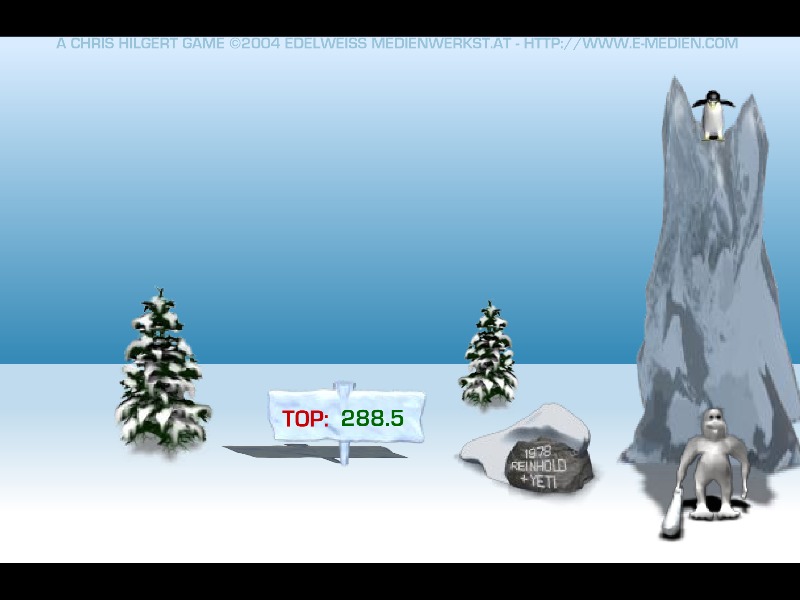
Yeti Sports: Pingu Throw is the first game in the Yeti Sports series, released in 2004. On a snowy plain, a yeti waits with a wooden club. A penguin drops from a cliff above. You click once to drop the penguin and once to swing – and if your timing is right, the penguin flies off across the snow, bouncing and sliding until it finally stops. The distance is your score.
That is the whole game, and that is why it was so addictive. A good throw depends on hitting the penguin at exactly the right height. Hit it too early and it skims low across the ground; too late and it pops up into the air and falls short. Every attempt takes seconds, so "one more throw" quickly becomes a hundred.
How to play Yeti Sports: Pingu Throw
- Click to let the penguin drop.
- Click again to swing the yeti's club.
- Beat your best distance.
The game is played with the mouse only.
More penguins
If you want a penguin that flies further, try Learn to Fly. For more launch games, see the launch & upgrade box.
Stuck? Hints, gentlest first
Hint 1 – first click
Click to drop the penguin from the cliff. Releasing it at the right moment sets up the whole throw.
Hint 2 – the swing
Click again to swing the club as the penguin falls past the yeti. Hitting it at the perfect height sends it at the best angle – not too flat, not too high.
Hint 3 – practise the rhythm
The timing is the same every throw. Once you have found it, repeat it exactly and only adjust by a fraction.
Yeti Sports by Chris Hilgert started with Pingu Throw in 2004 and spread like wildfire through offices and schools. The idea – a yeti batting a penguin as far as it would go – was absurd, simple and perfect for a two-minute break.
FAQ
Is this the original Yeti Sports?
Yes. Pingu Throw is the first part of the Yeti Sports series, which went on to add many other yeti "sports".
Can I still play Yeti Sports: Pingu Throw in 2026?
Yes. Adobe stopped supporting Flash in 2020, but Yeti Sports: Pingu Throw runs on this page through a Flash emulator built into the player. Press Play and it starts in a few seconds.
Do I need Flash Player to play Yeti Sports: Pingu Throw?
No. You don’t need to install Adobe Flash Player, a plugin or any download. Yeti Sports: Pingu Throw runs in any modern browser such as Chrome, Firefox, Edge or Safari.
Can I play Yeti Sports: Pingu Throw on my phone?
Usually, yes. Yeti Sports: Pingu Throw is played with the mouse, so taps work in most mobile browsers – although a computer still gives the best experience.
Who made Yeti Sports: Pingu Throw?
Yeti Sports: Pingu Throw was made by EDITIONS LIMITED and released in 2004. The game belongs to its creator; FlashAttic only embeds it so it can still be played.
Does Yeti Sports: Pingu Throw save my progress?
FlashAttic remembers that you played Yeti Sports: Pingu Throw and for how long on this device. Whether the game saves your level depends on the game itself – many Flash games use level codes or their own save slot.